01 / Jobs
Start with a clear plan.
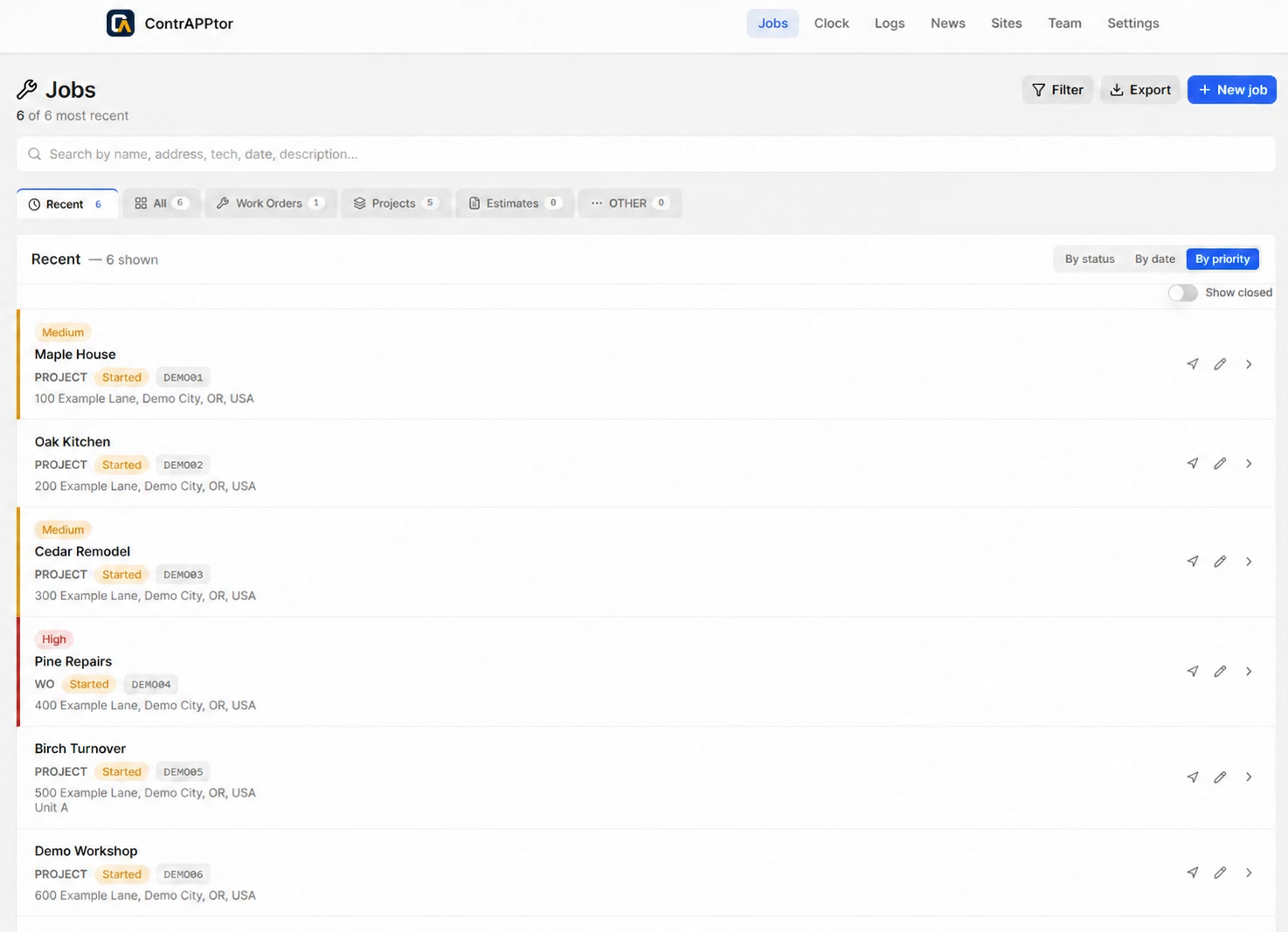
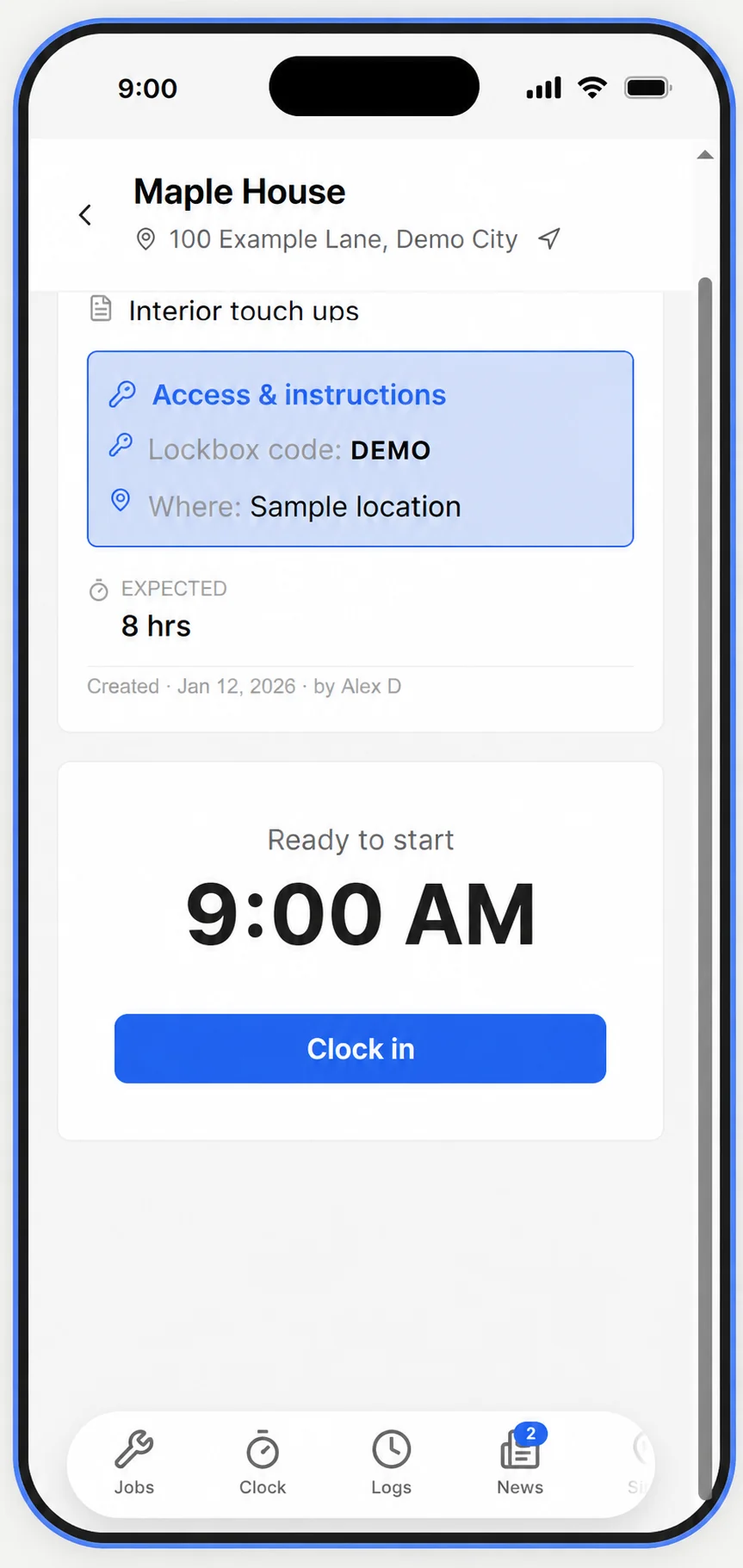
Create jobs with descriptions, access information, and instructions. Give your crew the details they need before the work starts.
Stop chasing job details through texts, timesheets, and scattered photos. Keep assignments, crew hours, materials, and site history together—so the office and the field can get on with the work.
Field service operations, simplified. A web app for your phone, tablet, or computer.
The job details are in a text. The hours are on a notepad. The photos are on someone else's phone. ContrAPPtor™ brings it together.
Create jobs with descriptions, access information, and instructions. Give your crew the details they need before the work starts.
Track crew time, work logs, and job durations without rebuilding the day from scattered messages and memory.
Keep work, photos, materials, and logs connected to the job site. Archive finished jobs to clear your active view while keeping their history available.
Give the office a clear view of the work and the crew a simple way to record it. Explore these product views with fictional demo data.
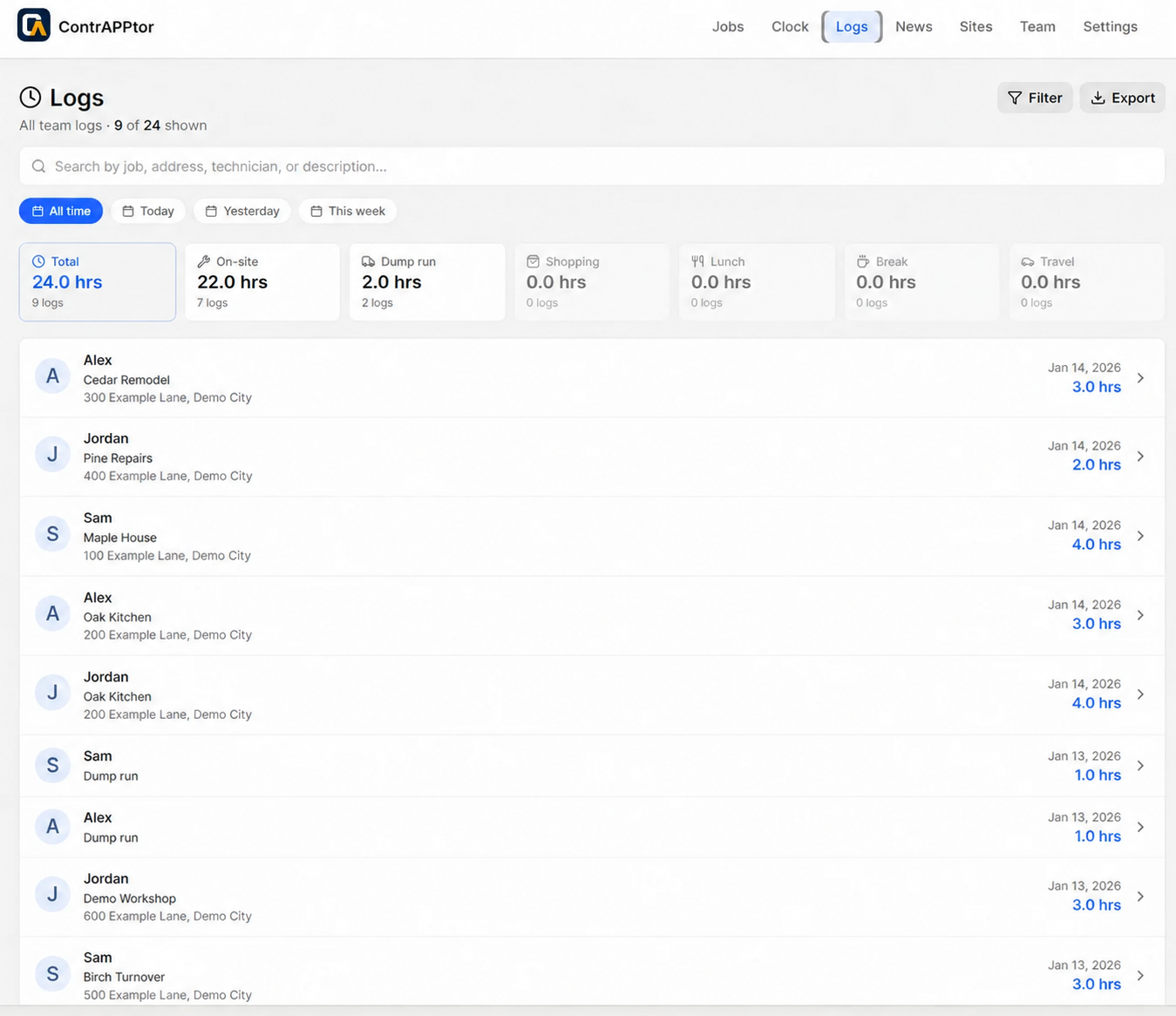
See work logs alongside the technician, job, date and activity. Keep the record connected to the work it represents.
Edited product screenshots. Names, addresses, access details and activity records are fictional.
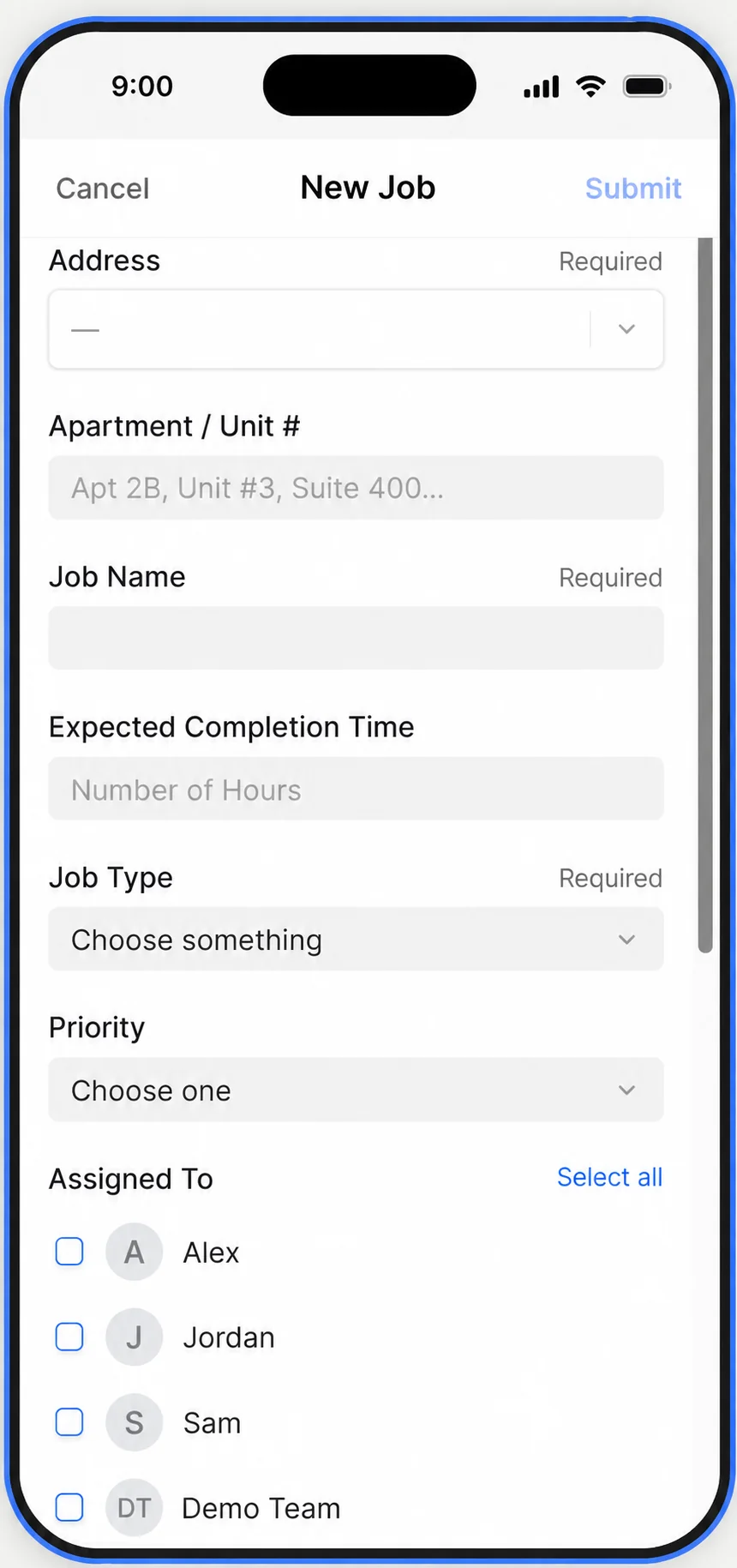
Choose the site, name the job, and set an expected completion time. Add the job type and priority, then select the people who will do the work.
Create the job from your phone or work from your desk. Keep the starting details in one place.
YOUR BUSINESS. YOUR WAY.
Start with simple time tracking. Get as detailed as your business needs. Bring your business identity into the app, then use logs, reports, billing, and expected-versus-actual job time to understand where the workday really goes.
Upload your company logo and make your workspace reflect the business you run. Add your own messages to billing and invoices, so customer-facing documents sound like your business and carry your identity.
Set expected hours for a job or project and compare them with actual recorded time. Receive in-app alerts when a job exceeds its estimate, understand what took longer, and use past work to plan the next job more accurately.
Review recorded time for travel, lunch breaks, shopping and supply runs alongside the work itself. Understand how those activities contribute to your crew time and costs, and where there may be room to improve.
Review the time and materials going into your jobs. Look back across visits. Spot patterns in how your business runs with the information you're already collecting.
Export records into spreadsheets, PDFs, and printable reports. Review the details, share the work, and skip copying everything by hand.
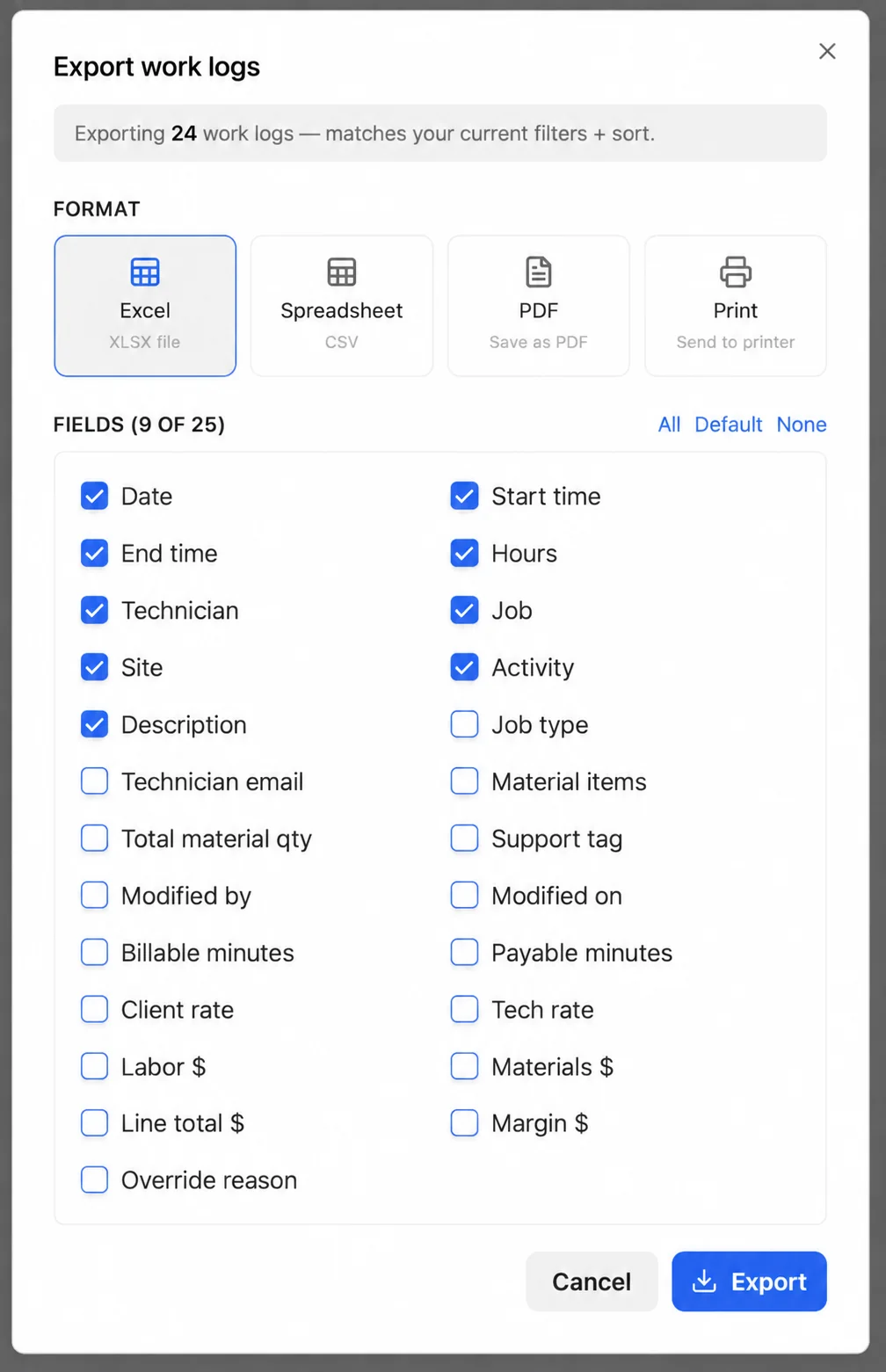
Choose the format and fields you need.
Import and export are planned for paid memberships. See the plans page for launch updates.
Running the jobs. Supporting the crew. Keeping track of the details. Then finding time for the paperwork.
ContrAPPtor™ grew out of those same challenges. We believe recording the work should feel like getting something finished instead of starting another chore.
That belief shapes what we build, what we simplify, and what we work on next.
Built from hands on experience.
Shaped by the people using it.
Tell us what slows you down. Show us where something feels confusing. Let us know when something goes wrong.
You'll help the people building ContrAPPtor™ understand what matters on real jobs, with real crews. Our focus is practical improvements, responsive support, and clear communication.
BILLING BASICSBasic billing and invoicing are available, with your business logo and custom messages.
A few good questions
Owner-operators and contractor teams who need a shared place for jobs, crew time, materials, and property history.
Yes. You can organize your own work and add team members when your business needs them.
Yes. Visit our signup page, verify your email, and submit your business details. Applications are reviewed before workspace access begins.
Yes. Basic billing and invoicing are available. Use your business logo and add custom messages to make customer-facing documents your own.
Yes. Roles restrict both what people can see and what they can do. Crew members can view their own hours and edit them when the business owner allows it. Authorized owners, admins, and managers can manage logs and materials. When an owner changes a crew member’s hours, the crew member receives a notification so the change stays transparent.
Yes. Open a registered site to review its past work orders and projects, with their logs, materials, details, and job photos. Keep the history connected to the place where the work happened.
Choose the reporting period you need—hourly, daily, weekly, monthly, or a custom range—and select the details to include using checkboxes. Include time logs, work descriptions, and job photos when needed, and share a report tailored to your client.
Yes. Apply an hourly rate or use an agreed fixed total. Mark individual logs or tasks as billable or nonbillable, compare hourly and fixed-price totals, and adjust the invoice before sending it. Add your business logo and your own messages.
Set the expected hours when creating a job, compare them with actual recorded time, and receive in-app alerts when work exceeds the estimate. Use the comparison to understand overruns and plan future jobs. Broader time benchmarking is planned for the future.
No. Start with straightforward time tracking, then use the more detailed reporting, billing, and performance tools as your business needs them. Keep it simple or look closely at where time and costs go.
See how it works and plans for the role overview, browser requirements, and planned membership options.
Less chasing. More doing.
A shared place for the work, the people, and the record. Start with your business, add your team, and keep the details connected.
Join for free →Applications are open. Workspace access begins after approval.